Unified client history: CRM, tasks, documents, chat
This page is about a real working goal: making sure every client has all their deals, tasks, documents and correspondence in one place, so any employee can understand where things stand within a minute. Below is how this comes together in LadVen OS.
What problem it solves
When a client's history is scattered across email, messengers, drives and people's heads, context gets lost: a new manager doesn't know what was promised, finding documents takes half a day, and when an employee leaves, part of the history disappears with them.
This scenario closes that gap: the client is a single record around which their deals, tasks, documents and correspondence are gathered. The whole team sees one and the same up-to-date picture.
How it works in LadVen OS
The scenario is built from blocks that already work together:
- Client record — a company or contact as a single point of entry.
- Deals — all of the client's deals with stages, owners and the next step.
- Tasks — tasks for the client and their deals, with assignees and due dates.
- Documents — contracts, invoices and files are stored linked to the client.
- Correspondence — requests and messages about the client in a shared context.
- Access — who sees the client and their data is defined by permissions.
What's in the demo
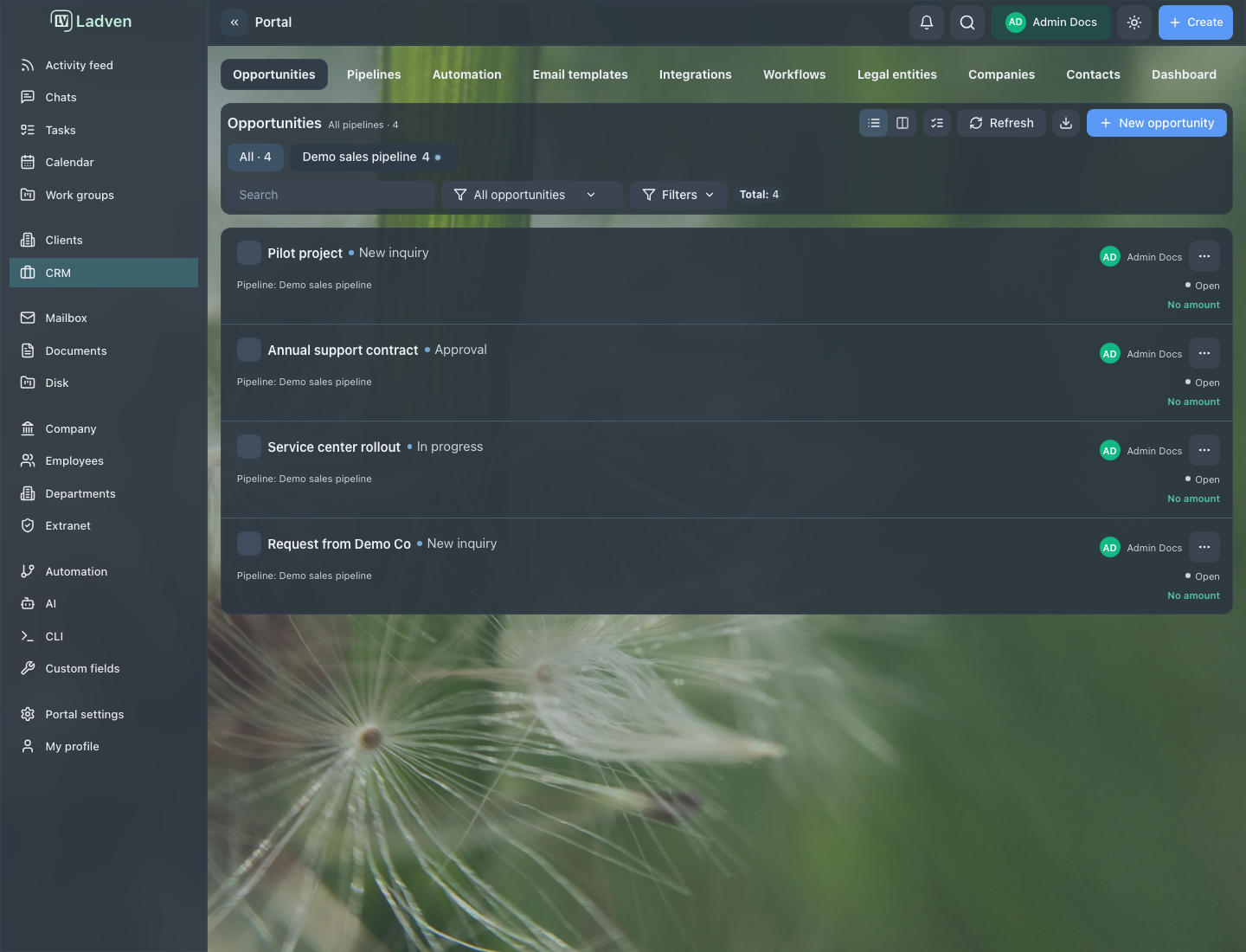
The demo setup contains a "Demo sales" pipeline with deals across clients; the deals have owners, amounts and a next step. The screenshot below shows how work on clients looks in a real CRM, without marketing imagery.
Deals and work on a client
On the deals board you can see all the deals for clients: which stage each one is at, who is running it and where things have stalled. From here a manager opens a specific client and continues the work in that client's context, while a leader sees the overall picture.
What comes together in one place
For a single client, in one unified context you have access to: their deals and their stages, related tasks and due dates, documents and files, correspondence and requests. There's no need to search through email and chats — everything opens from the client record, and the history isn't lost when an employee changes.
What the team gets
- any employee can see within a minute where things stand on a client;
- the client history isn't lost when the manager changes;
- documents and contracts are linked to the client rather than scattered across email;
- access to a client's data is defined by permissions, not by chance.
Where to start
- Clients — the client record, companies and contacts.
- Deals and pipeline — the client's deals, stages and the next step.
- Client workspace — deals, tasks, documents and files for a client.
- Links between tasks and documents — how CRM is connected to tasks and documents.
- Documents — storing contracts and invoices linked to the client.
Request a demo
Want to see a unified client history on a ready-made demo portal with deals, tasks and documents? Request a demo — we'll show you a configured stand and help you build your own client work on it.